AI data workflow guide for SaaS teams
AI data workflow guide: Clean SaaS data before you automate decisions: A good AI data workflow for SaaS starts with clean fields, clear ownership, and…

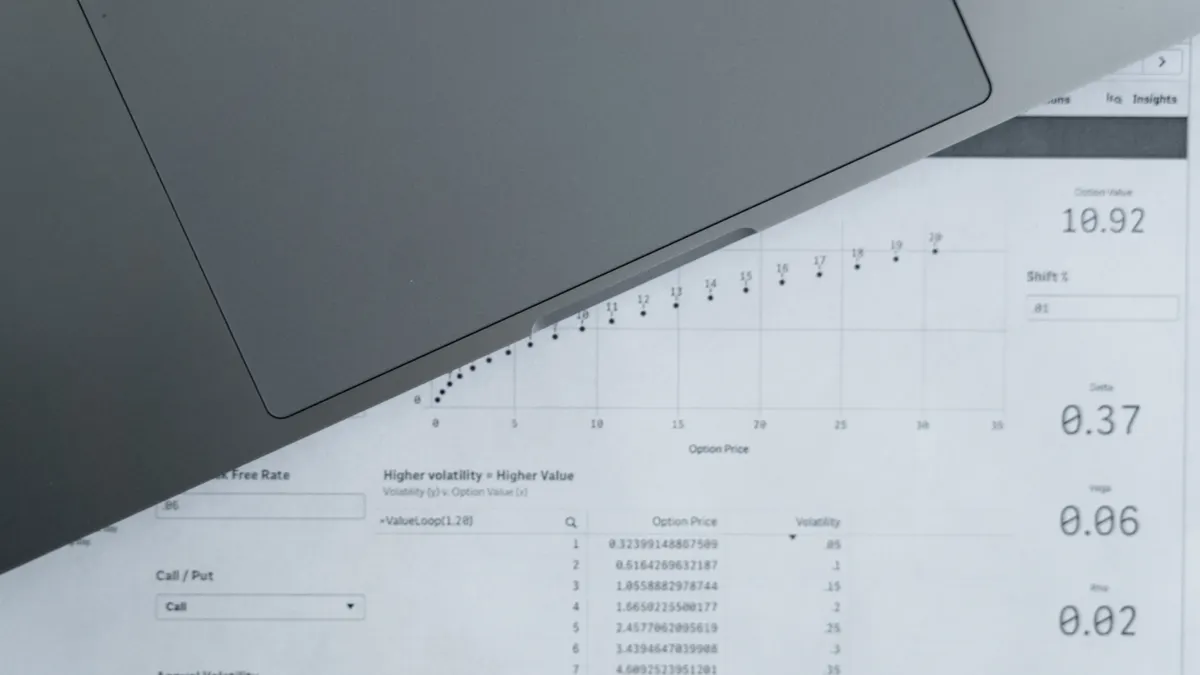
Magnifying glass over analytics report beside a laptop
Last updated: October 21, 2026
Quick Answer: A good AI data workflow for SaaS starts with clean fields, clear ownership, and validation before automation runs. If HubSpot, Segment, Snowflake, BigQuery, Airtable, and Zapier sit in the same stack, the question is not which tool is smartest; it is whether the fields, sync rules, and quality checks are good enough for an AI system to act without creating bad tickets, wrong routing, or duplicate customer records. For a broader operating model, see the hub on where to automate with AI in a SaaS startup.
Key Takeaways
- An AI workflow for SaaS turns scattered product, CRM, and support data into one usable decision source.
- Clean SaaS data gives important fields one meaning, one format, and one owner.
- Use one source of truth for each business fact, not for the whole company.
- Field mapping keeps one system’s labels from becoming another system’s noise.
What an AI data workflow for SaaS actually does

An AI data workflow for SaaS turns scattered product, CRM, and support data into a source of truth that a machine can use without improvising. That means the workflow does three things in order: it collects data from named systems, normalizes that data into consistent fields, and checks it before any automation reads it.
A generic “AI stack” article usually jumps straight to models and prompts. That skips the part that breaks most automations: bad data definitions. If one team writes “trial” in HubSpot as a lifecycle stage, another writes it as a tag in Airtable, and a third team infers it from product usage in Segment, then no automation knows which value to trust. The result is not a smarter workflow; it is a faster mistake.
The data workflow is the layer between collection and action. In practice, it sits across systems like HubSpot for CRM, Segment for event collection, Snowflake or BigQuery for warehouse storage, Airtable for lightweight ops tables, and Zapier for cross-app actions. Each tool can play a role, but none of them fixes messy definitions by itself. For a field-level model, see the guide to field mapping for SaaS data.
This guide is for SaaS teams that already have data flowing and want automation to make decisions such as routing leads, flagging risky accounts, or enriching records. It is not for teams still choosing their first CRM or debating whether to buy a CDP. That is a different question. A clean workflow starts with clean names, clean mappings, and a clear owner for each field.
Clean SaaS data before automation touches it
Clean SaaS data means each important field has one meaning, one format, and one owner. If that is not true, AI can only guess, and guessing is expensive when the output controls a workflow. The same rule applies whether the data lands in HubSpot, Segment, Snowflake, BigQuery, Airtable, or Zapier.
Start with the fields that drive decisions, not the ones that are easiest to export. In most SaaS setups, those include email, company name, account ID, lifecycle stage, plan, seat count, last activity date, source, and owner. A workflow can survive a messy note field. It cannot survive two different account IDs for the same customer.
Use a simple rule for hygiene: if a field will influence a decision in the next 30 days, it needs a definition today. That sounds basic because it is basic, and basic is where most automation failures begin. A nullable text field in Airtable is not a source of truth. A lifecycle stage in HubSpot is not a source of truth if sales can overwrite it without a rule. A product event in Segment is not a source of truth if the event name changes every quarter.
The cost of poor hygiene shows up in three places. First, duplicates make AI repeat actions. Second, mismatched labels make AI route records to the wrong queue. Third, stale timestamps make AI act on old behavior as if it were current. A 14-day-old last-activity date can be fine for reporting, but it is weak evidence for an automation that scores churn risk.
A practical hygiene pass should include these checks:
- Standardize company and domain formats.
- Remove blank primary identifiers.
- Collapse duplicate lifecycle values into one approved list.
- Freeze field names that automation depends on.
- Mark deprecated fields so they are not used downstream.
This is where the trade-off matters. Cleaning data slows the launch of automation. Skipping the cleanup makes the launch faster and the failure later, when the bad decision is already visible to customers. For that reason, data hygiene is not a polishing step. It is a control step. For schema and validity basics, consult Google’s data quality guidance.
How do you choose a source of truth?
You choose one source of truth per business fact, not one source of truth for the whole company. That keeps the workflow usable without forcing every team into one system.
A source of truth is the system that wins when two records disagree. For customer identity, that may be HubSpot or a warehouse table keyed by account ID. For product events, it is usually Segment feeding Snowflake or BigQuery. For ops exceptions, it might be Airtable if that table is the current working record. The point is not prestige. The point is clarity.
The wrong move is letting every tool own the same fact. If HubSpot says an account is “Enterprise,” Airtable says “Mid-Market,” and the warehouse says nothing, then AI has no stable base. Pick one field owner and write it down in the workflow. A simple rule such as “CRM owns sales stage, warehouse owns derived score, product event stream owns usage events” saves hours of reconciliation later.
Use these criteria to pick the owner:
- Update frequency. If a fact changes many times per day, keep it close to the system that sees the change first. Product usage often belongs in Segment or the warehouse.
- Decision risk. If a wrong value changes a customer action, choose the system with the strongest controls.
- Team responsibility. The owner should be the team that can fix the field without waiting on five other people.
- Auditability. If you need to trace why a decision happened, choose the place that keeps history cleanly.
A source-of-truth decision also affects cost in practice. Warehouse-first setups in Snowflake or BigQuery usually give better control and history, but they take more setup work. CRM-first workflows are faster to begin, but they are weaker when you need cross-system logic or historical analysis. That trade-off is the real choice.
If you want the workflow to support the broader operating model, this is the layer that should connect back to the hub on where to automate with AI in a SaaS startup, because the value of automation depends on which data is trusted first.
Map fields before you sync them
Field mapping is the step that prevents one system’s names from becoming another system’s noise. If you do it late, every sync becomes a translation problem. If the mapping is uncertain, consult a professional before automation goes live.
Map fields before any Zapier automation, warehouse job, or CRM sync goes live. A field map says exactly how a source value becomes a destination value. For example, HubSpot’s company name may map to account_name, Segment’s anonymous userId may map to user_id, and Airtable’s priority may map to a normalized enum such as high, medium, or low. The map should also list data type, allowed values, and whether the field is required.
The point of mapping is not just naming. It is consistency. A text field in one app can become a number in the next, and that is where automations fail silently. If seat_count arrives as “12 users” instead of 12, a scoring rule or model can misread it. If dates arrive in mixed formats, a 2024-11-07 value may mean one thing to one system and another thing to the next. ISO 8601 formats reduce that risk.
A useful mapping table needs only a few columns:
- Source system
- Source field
- Destination field
- Type
- Allowed values
- Transformation rule
- Owner
Keep the map in a place the team will actually use. Airtable works well for a shared mapping sheet when the workflow is still changing. Snowflake or BigQuery becomes better once the map is stable enough to feed repeatable transformations. The format matters less than the discipline of updating it when a field changes.
One common mistake is mapping by label instead of meaning. “Lead source” and “first touch source” sound close, but they answer different questions. If automation uses the wrong one, the decision can still look polished while being wrong. Another mistake is letting a vendor sync decide the mapping for you. A native integration may move the data, but it does not decide your business semantics. For implementation standards, see Segment’s developer docs.
What sync rules keep AI from acting on bad records?
Sync rules keep AI from acting on stale, duplicate, or incomplete records. Without them, a well-timed automation can turn a small data issue into a visible customer mistake.
Start by deciding when data is allowed to move. A sync can be real-time, scheduled, or manual. Real-time is useful when the decision must happen immediately, such as alerting sales on high-intent activity. Scheduled syncs, often every 15 minutes or nightly, are safer for billing-adjacent or enrichment workflows. Manual review is still useful for edge cases that should not trigger automatically.
Then set these rules:
- Source precedence. If two systems disagree, which one wins?
- Freshness window. How old can a record be before it is considered stale?
- Idempotency. Can the same event run twice without creating duplicate actions?
- Deduplication keys. Which combination of email, domain, account ID, or event ID defines sameness?
- Null handling. Does a missing field block the sync or pass through unchanged?
- Status gating. Should paused, closed, or deleted records be excluded?
These rules matter because AI does not know whether a blank field means “unknown,” “not applicable,” or “broken integration.” Your workflow has to say. In Segment-to-warehouse pipelines, for example, event identity rules should be explicit, or anonymous activity can fragment into separate users. In HubSpot-to-Zapier automations, a duplicate contact can create duplicate tasks unless the workflow checks for an existing record first.
The honest drawback here is complexity. Tight sync rules reduce errors, but they also make the workflow slower to change. That is the right trade-off for customer-facing decisions and the wrong trade-off for experiments that are meant to stay disposable. A sandbox workflow can tolerate rough edges. A production workflow cannot.
Build data quality checks before the model or rule runs
Data quality checks are the gatekeeper between incoming records and any AI-driven decision. If the check fails, the workflow should stop, route to review, or fall back to a safe default.
A good quality check happens before the automation decides anything. Think of it as a filter, not a report. The check should answer five questions: is the record complete, is it valid, is it unique, is it current, and does it match the expected schema? That logic can live in a warehouse query, a workflow tool, or a small validation step before Zapier fires.
Here is a concrete procedure for putting the checks in place:
- List the 5 to 10 fields that the automation needs, such as email, account ID, lifecycle stage, and last activity date. The result is a small required-data list instead of a vague “good enough” standard.
- Define valid values for each field, using controlled lists where possible. For example, `trial`, `active`, and `churned` are easier to validate than free-text status notes.
- Add format checks for type and structure. Email should look like an email, IDs should follow one pattern, and dates should use one standard such as ISO 8601.
- Set deduplication rules on the fields that define identity. If the same account appears twice, the workflow should merge, skip, or flag it before action.
- Check freshness against a time threshold. A record older than the threshold should not trigger the same action as a current one.
- Write a fallback path for failures. Send bad records to a review queue or log them in Airtable so they can be corrected without blocking everything else.
A simple threshold is often enough to start. For example, a workflow might require all mandatory fields to be present and the activity timestamp to be within the last 7 days before an AI score is allowed to trigger outreach. The exact window depends on the use case; the main point is that the rule is explicit.
Because the threshold and mandatory timestamp rule must be clear, the workflow should distinguish between hard failures and soft warnings. A missing secondary phone number can be a warning. A missing account ID should be a stop sign.
What breaks first in HubSpot, Segment, Snowflake, BigQuery, Airtable, and Zapier?
The first thing that breaks is usually identity, not the tool itself. Once identity slips, every downstream action starts to wobble.
In HubSpot, the usual problem is inconsistent property usage. Teams create overlapping fields, rename statuses, or let manual edits override automation. In Segment, the common issue is event sprawl: too many event names for the same behavior, or the same event named differently across platforms. In Snowflake and BigQuery, the issue is often model drift between raw and cleaned tables. In Airtable, the issue is people using it like a database without enforcing required fields. In Zapier, the issue is action chaining without enough pre-checks.
The fix is not “use a better tool.” The fix is to constrain how each tool is allowed to participate. A practical division of labor looks like this:
- HubSpot owns customer-facing CRM fields.
- Segment collects product events.
- Snowflake or BigQuery stores normalized records and history.
- Airtable holds exceptions, reviews, or temporary ops data.
- Zapier moves approved actions between apps after checks pass.
That division keeps each system in its lane. It also makes troubleshooting possible. If a score looks wrong, the problem is easier to trace when the workflow has one owner for identity, one for event capture, and one for actions.
A final warning: do not use AI to decide what the source of truth should be. Use AI after the workflow has already defined the truth. That is the point of the guide. Clean data first, automation second.
The verdict: start with the workflow, not the model
A good AI data workflow for SaaS is the difference between automation that saves time and automation that creates support work. The right order is clear: define the source of truth, map fields, set sync rules, and run quality checks before anything makes a decision.
Drafted with AI; not yet reviewed by a person.