SaaS AI strategy guide: where to automate first
Start with 2 or 3 startup workflow automation projects in the places where work is repetitive, text-heavy, and already follows a clear rule set. In this…
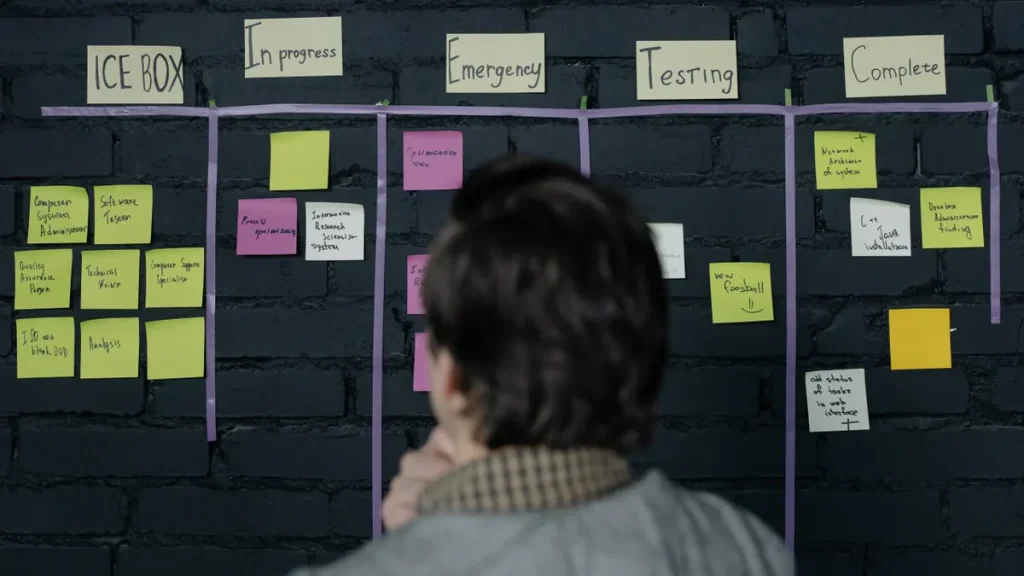
person viewing a project board covered with sticky notes
Last updated: October 26, 2026
Quick answer: Start with 2 or 3 startup workflow automation projects in the places where work is repetitive, text-heavy, and already follows a clear rule set. In this SaaS AI strategy guide: Where to automate first in a startup workflow, that usually means internal admin, support triage, and knowledge lookup before you touch high-stakes customer decisions or anything that still needs a founder’s judgment.
A SaaS startup does not need to automate everything at once. It needs to pick the first 2 or 3 workflows that burn time every week, have obvious inputs and outputs, and can tolerate a human reviewing the result. That can be one of the fastest ways to get value from ai assistants without turning the company into a pile of brittle half-automations.
The right order matters. Automate a clean workflow first and the team learns how to write prompts, define rules, and add review points. Automate a messy workflow first and the team spends its time fixing exceptions that were never documented. That is why startup workflow automation works best when it starts with process clarity, not ambition.
What startup workflow automation should do first
Startup workflow automation should first remove repeated, low-judgment work from the team’s daily path. Strong first targets are tasks that happen 5 to 50 times a week, use the same source systems every time, and end in a draft, summary, tag, or routed ticket rather than an irreversible action.
That sounds obvious, but many SaaS teams start in the wrong place. They try to automate the most visible pain point, which is often also the least structured one. A founder who wants instant AI help in sales may actually need better lead routing in HubSpot, not a clever email writer. A support team that wants AI may really need faster categorization in Zendesk or Intercom before any full reply drafting. The workflow should be boring before it is ambitious.
The practical test is simple: if a task can be described as “when X arrives, check Y, then produce Z,” it is a candidate. If it depends on taste, context from five tools, or a manager’s instinct, it is not first on the list. That difference is why startup workflow automation is easier to sustain when it starts with repeatable logic.
A useful rule is to begin with a 3-step automation ladder:
- Summarize. Turn long input into a short output, such as meeting notes into a task list.
- Classify. Sort the work into a queue, tag, or priority bucket.
- Draft. Create the first version of a reply, note, or update for human review.
That sequence matters because it lowers risk. A summary can be wrong without creating chaos. A classification error is annoying. A fully automated customer reply with no human check can create a real mess. For that reason, the first startup workflow automation wins are usually the ones that stop short of final action.
The other reason to start here is adoption. Teams trust automation more when it saves 10 minutes on a routine task than when it tries to replace their judgment. The first win should feel like a time-saver, not a takeover.
Which workflows are automation-ready in a SaaS startup?
Automation-ready workflows have stable inputs, clear rules, and a human can review the output in under 2 minutes. That is the standard I would use before connecting an AI assistant to a live startup process. It also matches what McKinsey and the Stanford HAI AI Index emphasize about AI value: the biggest gains come when systems are applied to well-defined tasks, not vague judgment calls. McKinsey Stanford HAI AI Index
The easiest way to see this is to compare common SaaS workflows:
- Good first candidates: ticket triage in Zendesk, intake summaries from Intercom, meeting note cleanup in Notion, Slack channel routing, lead enrichment notes in HubSpot.
- Usually second-wave: support draft replies, outbound sales personalization, onboarding email variants, internal status updates.
- Usually too early: pricing exceptions, contract approval, refund decisions, escalation handling, or any workflow that changes money, access, or legal terms.
The difference is not the department. It is the shape of the work.
A workflow is automation-ready when it has:
- one owner,
- one trigger,
- one system of record,
- one expected output,
- and a review step that takes less than 2 minutes.
If the workflow spans three teams and ends in a judgment call, the automation can still help, but not first. For example, a churn-risk review may pull signals from product usage, support history, and CRM notes. That is useful later. First, use AI to compile the signals into a readable weekly brief. Do not ask it to decide the retention play.
The strongest early candidates in a SaaS startup are often internal because they are easier to control. A Notion page that turns repeated standup notes into action items is lower risk than a customer-facing chatbot. A Slack bot that formats bug reports into a consistent template is easier to trust than an AI that answers billing questions. That is a practical reason to start with startup workflow automation inside the company.
That is the trade-off. Internal workflows usually give faster wins and cleaner feedback loops. Customer-facing workflows can produce bigger time savings, but they also carry more brand risk and need stronger guardrails. If you want a useful benchmark for quality and safety, OpenAI’s usage policies and Google’s guidance on responsible AI both point toward narrow scope and human oversight for higher-risk outputs. (Source: OpenAI Usage Policies Google AI Principles)
Where should a SaaS startup automate first?
A SaaS startup should automate internal admin, support triage, and knowledge retrieval before it automates live customer conversations. Those three areas usually offer a solid balance of speed, control, and visible time savings.
The order is not arbitrary. Each category has a different risk profile.
1) Internal admin and team coordination
This is often the safest place to start because the output usually stays inside the company. Examples include meeting notes in Notion, status recaps in Slack, task creation from a transcript, or routing a request to the right owner. If the draft is imperfect, a teammate can fix it without a customer ever seeing the mistake. For startup workflow automation, that makes the feedback loop short and the damage easy to contain.
The benefit is speed. Teams waste a surprising amount of time retyping the same context into different places. An AI assistant can condense a 30-minute call into bullets, identify action items, and push them into the right workspace.
The limit is that admin automation can become clutter if nobody owns the cleanup. If every meeting generates a dozen auto-created tasks, the team stops trusting the system. The fix is to keep the output small: one note, a few tasks, and a named owner.
2) Support triage before full support automation
Support triage is the strongest early customer-facing use case because it can be reviewed before any reply goes out. In Zendesk and Intercom, AI can tag ticket type, detect urgency, route by account tier, and pull a suggested response from help content.
This is where human-in-the-loop review matters most. The AI should prepare the work, not close the loop on its own. A support lead can scan a queue of drafted replies in a few minutes. That keeps quality up while reducing the time spent reading every ticket from scratch.
The cost of skipping this step is obvious: a wrong response can frustrate a customer, confuse billing, or create a promise the product cannot keep. That risk is why I would not start with autonomous replies.
3) Knowledge retrieval and draft generation
A Notion knowledge base, support playbook, or internal SOP library becomes more useful when AI can search it and produce a short answer or draft. This is a strong first use case because it makes existing documentation easier to use rather than replacing it.
The catch is that bad documentation produces bad answers faster. If the source material is stale, the AI will confidently repeat the stale version. That is why this workflow only works when the underlying docs are owned and updated.
A better pattern is retrieval plus internal citation, even if the citation is only internal. The assistant should point to the source note, policy page, or playbook section that informed the draft.
How do I choose the first workflow to automate?
Pick the workflow with the highest volume, the clearest rules, and the cheapest mistake to recover from. That combination usually reveals the fastest return on effort without forcing you to build a huge system. Start there, and startup workflow automation becomes a series of controlled wins rather than a one-shot bet.
Here is a practical selection process you can run in an afternoon:
- List the recurring work. Write down the 10 tasks that show up most often in one week across support, sales, ops, and product. Include things like “summarize customer calls,” “route tickets,” and “draft weekly team updates.”
- Score each task on volume, structure, and risk. Use a 1-5 scale for each. A task that happens every day, has a clear template, and causes little harm when edited is a strong candidate.
- Check the source data. If the task depends on data that lives across Slack, HubSpot, Zendesk, and Notion with no clear owner, the first step may be cleaning the inputs rather than automating the task.
- Define the acceptable failure mode. Decide what the AI may get wrong without causing trouble. For example, a support triage model can mis-tag a non-urgent ticket if a human reviews it. It cannot misroute a billing dispute into the wrong queue for days.
- Set the human checkpoint. Make sure the output is reviewed at the point where correction is still cheap. That may be before sending a reply, before creating a task, or before updating a CRM field.
This is where generic advice often fails. It tells teams to automate “high-value work,” which sounds right and helps nobody. “High value” is not the same as “ready.” In early-stage startups, the best automation target is often a medium-value task that is repeated constantly and easy to verify.
A simple litmus test: if a founder can explain the workflow to a new hire in 2 minutes, it is probably automation-ready. If it takes 20 minutes and three caveats, it is not.
How do I keep AI from making a mess?
AI stays useful when the workflow has clear guardrails, a narrow output format, and a rollback path. Without those, the model will create work faster than it removes it.
The biggest mistake is letting the assistant act like a decision-maker when it should act like a drafting layer. If the AI can write a support reply, it should not also decide whether to waive a fee. If it can summarize a call, it should not also update the account plan without review.
Use these controls from the start:
- Constrain the output format. Ask for one of three labels, a 3-bullet summary, or a draft capped at a certain length.
- Keep source tools narrow. Start with one or two systems, such as Notion plus Slack or Zendesk plus Intercom. Too many data sources raise the chance of confusion.
- Add a human reviewer. Make the reviewer the person already closest to the workflow, not a separate “AI owner” who does not know the context.
- Track exceptions. Keep a simple log of the cases the AI handled badly. Patterns in those failures tell you where the process is still fuzzy.
There is a real trade-off here. More automation saves time, but more automation also makes mistakes scale faster. Early-stage teams should accept a smaller speed gain if it buys more confidence. A 15% time reduction with clean review is more valuable than a 50% reduction that nobody trusts.
One more practical point: do not automate over a broken process. If the team cannot agree on what a “priority” ticket is, an AI classifier will only encode the disagreement. Fix the process first or the automation will inherit the mess.
What should stay manual in an early-stage startup?
Anything high-stakes, ambiguous, or strategic should stay manual until the team can describe it in rules that a junior hire could follow. That includes pricing exceptions, contract terms, escalation handling, account save decisions, and major customer promises.
Manual work is not always waste. In an early-stage SaaS company, some manual effort is the product of learning. Founders need to hear unfiltered customer language, read edge cases, and notice patterns before they automate them. If AI starts smoothing over those signals too early, the team loses useful friction.
I would keep these manual:
- strategic customer calls,
- refund and credit decisions,
- contract negotiation,
- product roadmap triage,
- high-touch onboarding for key accounts.
I would also keep any workflow manual if the cost of a mistake is hard to reverse. A wrong tag in Slack is annoying. A wrong answer in a Zendesk thread about billing can create real churn. A mistaken update to HubSpot can distort forecasting. A bad note in Notion is cheap to fix. The same is not true everywhere.
The right boundary is not “manual forever.” It is “manual until the process is predictable enough to encode and review.” For most startups, that means the first 1 to 3 workflows you automate should be internal or semi-internal, not the ones with the highest customer consequence. That keeps startup workflow automation aligned with what the team can actually support.
That is the real strategy: use AI to clear repetitive work first, then move outward only after the team has standards, review points, and trust in the output. If the workflow cannot survive a mistake in a 24-hour window, it is not ready for full automation.
Key Takeaways
- Start with workflows that repeat often, use clear inputs, and can be checked quickly by a human.
- Internal admin, support triage, and knowledge retrieval are usually the best first automation targets in a SaaS startup.
- Use AI first for summaries, classification, and drafts, not final decisions.
- Keep Zendesk, Intercom, HubSpot, Notion, and Slack automation narrow at the beginning so the system stays explainable.
- If the process is still disputed, high-stakes, or hard to reverse, leave it manual for now.
Which SaaS workflows are best to automate first?
The best first workflows are repetitive, structured, and low risk to correct. In practice, that often means meeting summaries, task routing, ticket triage, and internal knowledge lookup. These give a startup fast time savings without forcing AI to make final decisions in Zendesk, HubSpot, or customer-facing channels.
What should stay manual in an early-stage startup?
Anything strategic, ambiguous, or costly to get wrong should stay manual. That includes pricing exceptions, contract terms, refunds, escalation handling, and key customer promises. Early-stage teams need room to learn from edge cases before turning them into rules.
How do you avoid bad automation in customer-facing processes?
Keep a human in the loop until the workflow is stable enough to review in under 2 minutes. Use AI for drafting, tagging, and summarizing first, then add stronger automation only after the team has clear rules, source data, and a rollback path for mistakes.
Drafted with AI; not yet reviewed by a person.