How to set up a SaaS analytics stack for an early-stage product
Quick answer: for how to set up a SaaS analytics stack for an early-stage product, start with 3 layers — event collection, product analytics, and a…

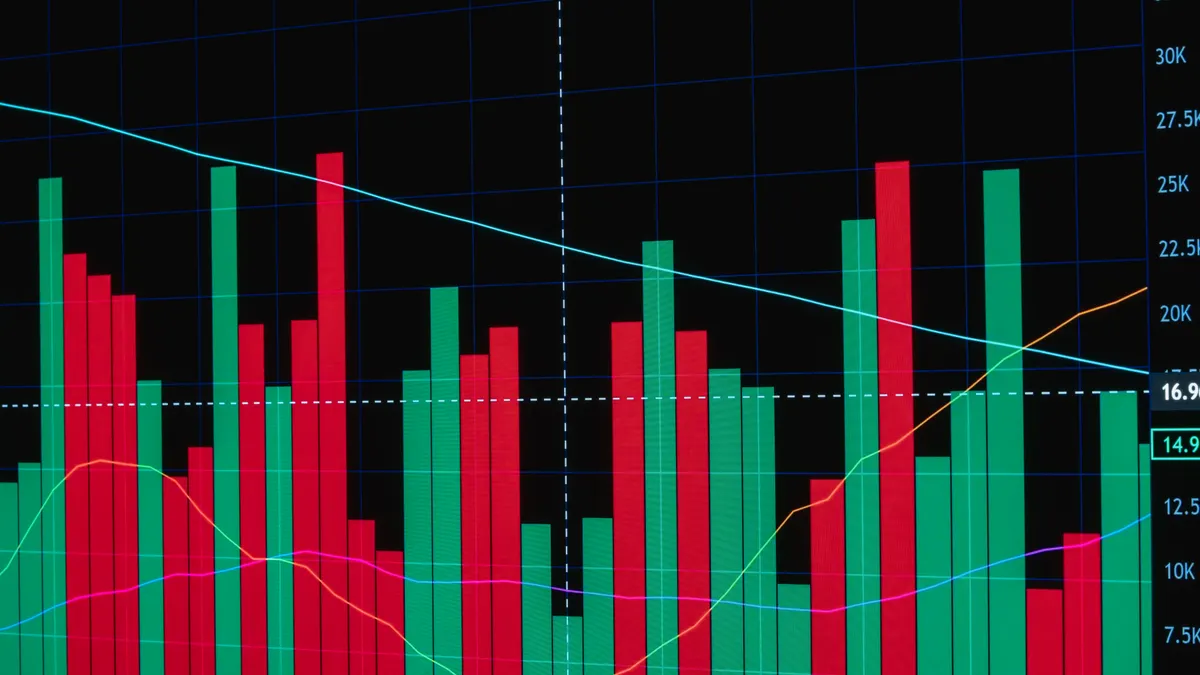
desktop monitor with multiple analytics charts and tables
Last updated: October 13, 2026
Quick answer: for how to set up a SaaS analytics stack for an early-stage product, start with 3 layers — event collection, product analytics, and a warehouse — so you can answer who signed up, what they did next, and where they dropped off within the first week. In practice, that usually means one source of truth for events, one tool for funnels and cohorts, and one durable store for joins before you add BI, attribution, or extra dashboards.
Key Takeaways
- Early-stage teams usually do not need five vendors, a custom schema registry, or role-specific dashboards.
- A warehouse-first setup favors flexibility; an all-in-one tool favors speed when engineering help is limited.
- Event collection and product analytics should come before dashboards.
- The best tools fit the team’s workflow, not the longest feature list.
I write about how to set up a SaaS analytics stack for an early-stage product because the hard part is not collecting data; it is choosing a setup that a small team can actually maintain for 6 to 12 months without turning every decision into a tooling project. This matters most in the first 90 days, when onboarding changes, pricing shifts, and the reporting layer is still cheap to adjust.
What an early-stage SaaS stack actually needs
It needs one source of truth for product events, one place to inspect those events, and one way to keep the data clean enough that you do not argue about numbers in every meeting. Early-stage teams usually do not need five vendors, a custom schema registry, and a dashboard for every role. They need to know whether activation improved after a change, whether a cohort retained, and which accounts are worth a call.
That means the stack should cover four jobs:
- Capture events from the app and website.
- Store raw data somewhere durable, usually a warehouse.
- Model the basics such as trials, activation, retention, and account health.
- Report on the handful of metrics the team actually uses.
If you skip the warehouse and rely only on a product analytics tool, you get speed first and regret later. If you start with a warehouse but no tool for event inspection, you create a data graveyard. The right answer for most early-stage SaaS teams is a narrow stack: a source instrumentation layer, a product analytics app, and a warehouse that can grow with the company.
I would not add business intelligence software on day one unless the company already has multiple data consumers outside product and growth. BI is useful, but it becomes a distraction when the product still changes weekly.
How should a startup choose between an all-in-one tool and a warehouse-first stack?
A warehouse-first stack wins when you care about long-term flexibility; an all-in-one tool wins when you need answers this week and do not yet have data engineering help. That is the real split. The wrong choice is usually pretending these are interchangeable.
An all-in-one setup means the same vendor handles collection, analysis, and often basic dashboards. The appeal is obvious: fewer moving parts, fewer contracts, and less setup time. The drawback is that you inherit that vendor’s opinion of your data model. If your event names, account hierarchy, or billing logic get more complex, you may outgrow the tool before the team is ready to replace it.
A warehouse-first stack pushes raw events into a warehouse such as BigQuery, Snowflake, or Redshift, then builds analysis on top. This is slower to set up and demands more discipline, but it avoids painting yourself into a corner. It is the better choice if you expect to join product data with billing, CRM, support, or usage-based pricing data.
| Criteria | All-in-one product analytics | Warehouse-first stack | Winner for this condition |
|---|---|---|---|
| Time to first usable report | Faster | Slower | All-in-one when the team is pre-product-market-fit |
| Flexibility with custom metrics | Limited by vendor model | High | Warehouse-first when billing and usage logic are messy |
| Engineering effort | Lower up front | Higher up front | All-in-one when the team has no data engineer |
| Data portability | Lower | Higher | Warehouse-first when vendor lock-in matters |
| Cross-system analysis | Awkward after a point | Natural | Warehouse-first when CRM and support data matter |
| Governance and naming control | Vendor-dependent | Stronger | Warehouse-first for multi-product or multi-team SaaS |
| Cost shape over time | Often simpler early | Can rise with warehouse and compute use | All-in-one for very small teams |
| Debugging bad data | Easier inside one UI | Easier with raw tables, but more technical | All-in-one for non-technical founders |
| Future expansion | Constrained | Better | Warehouse-first if the product will likely change fast |
The honest verdict: the all-in-one route is best for a tiny team with one product, one funnel, and no data hire on the horizon. The warehouse-first route is better if you already know your reporting will eventually need revenue, lifecycle, and usage data in the same place.
What should go into the stack first?
The first layer should be event collection and product analytics, not dashboards. I would set up the tracking plan before I picked a charting layer, because bad event design causes more damage than missing visuals.
Start with a small event taxonomy:
- Core identity events: signup started, signup completed, workspace created, invited teammate, connected integration.
- Activation events: first project created, first report run, first value action completed.
- Revenue events: trial started, paid plan started, plan upgraded, cancelled.
- Account context: workspace ID, user ID, plan type, seat count, acquisition source.
Use a consistent naming scheme from day one. One common pattern is verb-object, such as report_created or integration_connected. Keep properties predictable. If one event uses workspace_id and another uses accountId, you create avoidable cleanup work that will haunt every query.
For the stack pieces themselves, I would prioritize them in this order:
- Event capture from the app and website.
- Product analytics for funnels, paths, and cohorts.
- Warehouse for durable storage and joins.
- Reverse ETL or sync tooling only if you need operational workflows.
- BI only when more than the founding team consumes numbers regularly.
This is where most generic advice goes wrong: it assumes dashboards are the product. They are not. The product is a stable measurement system that can survive a rewrite of onboarding, a pricing change, and a new acquisition channel without losing historical comparability.
The most common failure mode is collecting too much. Ten well-designed events beat 80 noisy ones. If an event will not answer a decision, it does not belong in the first release.
Which tools belong in each layer?
The right tools are the ones that match your team’s operating style, not the ones with the longest feature page. For early-stage SaaS, I would choose by job, not by category prestige.
For collection, a lightweight SDK plus a routing layer is enough in many cases. The main concern is consistency across web and product. If your frontend is JavaScript and your app has server-side events, make sure both sides produce the same identity keys.
For product analytics, pick a tool that makes funnels, retention, and cohort analysis easy enough that a PM or founder can answer questions without SQL every time. That is the real test. If every question needs engineering, adoption will be poor.
For the warehouse, BigQuery is often attractive for teams that want simple ops and fast setup; Snowflake suits teams that expect more data sharing and governance complexity; Redshift still makes sense in AWS-heavy environments. I am not declaring a universal winner because the right choice depends on your cloud, query patterns, and existing contracts.
For transformation, a SQL-based modeling layer helps once you want consistent metrics like activated accounts, monthly recurring revenue by cohort, or paid conversion by source. Without it, every dashboard becomes a custom query with slight differences.
For reporting, use one place for leadership metrics and keep it boring. The point is not visual flair. The point is that the same metric means the same thing on Monday and Friday.
A plain rule helps here: if a tool does not make either collection, investigation, or modeling easier, it is probably extra.
How do you keep the stack usable instead of noisy?
You keep it usable by setting rules before the data gets messy. This is the part many teams skip until their warehouse is full of half-named events and duplicate customer IDs.
First, write a one-page tracking spec. It should list:
- event name
- when it fires
- required properties
- owner
- where it is used
Second, define identity rules. Decide whether the account is the workspace, the company, or the billing entity. Choose one primary key and stick to it. If users can belong to multiple workspaces, model that relationship explicitly instead of flattening it away.
Third, separate source events from derived metrics. A raw payment_succeeded event is not the same as “new revenue.” The former is a fact; the latter is a business rule.
Fourth, set a monthly cleanup ritual. Remove dead events, rename duplicates, and check that new releases still populate the same fields. A 30-minute review each month is cheaper than a quarter spent rebuilding trust in the dashboard.
A useful benchmark from standards work is the general data-quality idea of accuracy, completeness, and consistency; ISO 8000 is one of the standards families that treats those as core concerns. For governance and privacy, the relevant external reference is the GDPR text itself and, for adtech-adjacent teams, the documentation from the UK Information Commissioner’s Office and the EU’s data protection authorities. I would not turn a startup’s analytics stack into a compliance theater, but I would make sure the data collection rules are documented before the first serious customer rollout.
When does the recommendation change?
The recommendation flips in a few specific cases.
Choose a warehouse-first stack sooner if you have any of these:
- usage-based pricing
- multiple products in one account structure
- a sales-assisted motion with CRM handoff
- support data that affects retention analysis
- a data engineer or analytics engineer already on the team
Choose an all-in-one stack if:
- the app is still pre-product-market-fit
- the founder needs answers without SQL
- there is no one available to own warehouse models
- the reporting need is mainly product funnels and activation
Choose neither and keep it minimal if:
- the product has fewer than a few core events worth tracking
- the team cannot agree on the activation moment
- the current priority is shipping, not analysis
The biggest mistake is buying tooling before defining the questions. If you cannot name the 5 decisions the stack must support, you are not ready for a big implementation.
The Verdict: Which stack should you choose?
Choose an all-in-one product analytics tool plus lightweight collection if you are an early-stage team that needs fast answers, has one main product, and does not have a data hire. Choose a warehouse-first stack if you expect billing, CRM, support, and product usage to meet in the same reporting layer within the next 6 to 12 months. Neither if your event model is still undefined or the team lacks an owner for tracking quality.
That is the decision I would make. I would not start with a broad BI rollout, and I would not try to model every future use case on day one.
What does a practical early-stage setup look like?
A practical setup is small enough to explain in a sentence. For example: web and app events flow into a tracking layer, product analytics handles funnels and retention, and the warehouse stores raw and modeled data for later joins. That setup is enough for most seed-stage and early Series A SaaS companies.
I would keep the first release focused on:
- signup to activation
- activation to paid conversion
- account retention by cohort
- feature adoption for one or two flagship features
- revenue and churn by plan
That list is short on purpose. If a metric is not tied to a decision, it is decoration.
The cost to run this in practice is not just vendor fees; it is maintenance time. Every new event, dashboard, and definition adds friction. That is why I favor fewer tools with clearer ownership over a sprawling stack with impressive screenshots.
Authoritative references worth reading alongside your setup:
- Google Analytics event measurement guidance: https://support.google.com/analytics/answer/9267735
- GDPR legal text on the EU’s official site: https://eur-lex.europa.eu/eli/reg/2016/679/oj
- U.S. FTC guidance on privacy and data security for businesses: https://www.ftc.gov/business-guidance/privacy-security
FAQ
Do I need a data warehouse at seed stage?
Not always. If the team only needs funnels and retention, product analytics may be enough for a while. Add a warehouse when you need to join product events to billing, CRM, or support data.
What is the first metric I should track?
Activation is usually the first metric that matters, but only if you define it in one sentence. A good activation metric marks the moment a new user first gets value, such as creating a first project or completing a first workflow.
Should I track every click?
No. Track actions that help explain behavior or support a business decision. Random click tracking adds noise and makes analysis harder.
Can I change event names later?
Yes, but it is painful if you wait too long. A rename is manageable when the event is young; it becomes dangerous when dashboards, cohorts, and downstream models already depend on it.
Who should own the analytics stack?
One person should own it, even if several teams use it. In a small SaaS, that owner is often the founder, PM, or analytics-minded engineer.
Drafted with AI; not yet reviewed by a person.